Dora The Explorer
Before reading the article thy precious strongly encourage you to watch this talk by Linus. After kicking Windows out of the hardware to ensure none of his own cores were burning cpu time to show him ads, there is one tiny inconvenience that we, the almighty novice, face.
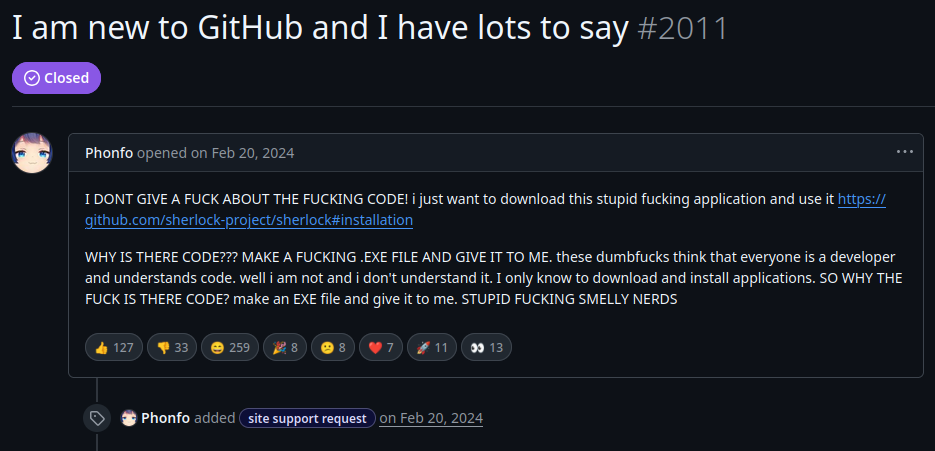
Thy precious is going to cut you some slack. If you see a C++ repository, like C++ ZeroMQ , with “CMakeLists.txt”, read no further.
git clone https://github.com/zeromq/cppzmq.git
cd cppzmq
Now for the most part one will almost always have to
| # | Action |
|---|---|
| 1 | make a build directory to generate files in |
| 2 | get into the “build” and “cmake ..” |
| 3 | Errors (if any) would be mostly because of missing packages. Install them from apt/rpm/others |
| 4 | A “Makefile” will be generated. Make and install |
Let’s see it in action
mkdir build && cd build (step 1)
cmake ..                (step 2)
make                    (step 4. Thy precious had all dependencies.)
sudo make install       (For system wide installation)
The packages that you install for system wide usage will (usually) show up in /usr/include, /usr/lib, /usr/local/*
Making a playground
Before thy precious dives head first into coding with a new API that he hath no clue about, he usually tests it in isolation.
Let’s use cpplayout for a quick project setup.
cd /tmp && mkdir Test
cd Test
cpplayout
This is where AI can help. It can help cut down on clutter and get us straight to business.
A quick prompt reveals we need python3-zmq from apt (Ubuntu) for quick test on pub/sub. We will compare this with Kafka.
For free live market data we can opt for FinnHub API. Keep in mind if you subscribe to trade messages of exchange outside of its operational hour then you will end up with no message from the API. To avoid that debugging nightmare we simply become a crypto bro.
touch environments.env  requirements.txt  script.py
chmod +x script.py
environments.env file is used to keep secrets like API keys and should NEVER be committed. Let’s fill requirements.txt with what AI suggested us will be used.
python-dotenv
websocket-client
finnhub-python
pyzmq
Before we even start coding, store the API keys in
FINNHUB_API_KEY=usetheapikeyprovided
FINNHUB_EMAIL=email@used.com
zmq-addr=tcp://127.0.0.1:5556
zmq-hwm=2000
Now that the API keys are in place and we have decided on what libraries we need, lets start the virtual environment. Thy precious recommends you use tldr for minor queries instead of chatgpt/gemini/etc.
tldr venv               # (Quick lookup on setting up virtual environment)
python3 -m venv .venv   # (The recommendation)
source .venv/bin/activate
tldr pip                # (Quick lookup on installing packages)
pip install -r requirements.txt
#!/usr/bin/env python3
from dotenv import load_dotenv
import websocket
import os

load_dotenv("environments.env")

def on_message(ws, message):
    print(message)

def on_error(ws, error):
    print(error)

def on_close(ws):
    print("### closed ###")

def on_open(ws):
    ws.send('{"type":"subscribe","symbol":"BINANCE:BTCUSDT"}')
    # ws.send('{"type":"subscribe","symbol":"IC MARKETS:1"}')

if __name__ == "__main__":
    websocket.enableTrace(True)
    FINNHUB_API_KEY = os.getenv("FINNHUB_API_KEY")
    ws = websocket.WebSocketApp(f"wss://ws.finnhub.io?token={FINNHUB_API_KEY}",
                              on_message = on_message,
                              on_error = on_error,
                              on_close = on_close)
    ws.on_open = on_open
    ws.run_forever()
So far so good. Specific prompts on gemini has helped us get to a place where we can see live market data being ingested. Now all that we need to do is to clean things up and push data to zmq.
Why not just Kafka your way out
“Anyone who keeps the ability
to see beauty never grows old“
~ Franz Kafka
Thy precious gets it. We are performing IPC. We know how reliable Kafka is and setting it up might be an initial pain but it will run/fail in very predictable ways. But most importantly, we have spend hours studying kafka documentation[1]. So why bother with anything identical.
And that’s where the question is answered. Kafka acts like a broker of data messages. It keeps the data written by producer to a topic on it’s own server. This is the reason why we need to have a kafka instance running. A consumer queries Kafka for the required topic and partition to consume that data. ZeroMQ does no such spying.
You can imagine a publisher as someone making a phone call. The only one who gets to consume what the publisher had to share was the one at the other end of that call. It’s very direct and hence we need no middle man to manage the transfer of data.
Using Python for publishing messages to target
Now that we have seen the format of messages being received, let’s figure out a way to clean it up. What better way than sending a series of json strings that reflect trades in the market. Let’s worry about continuously sending data like its market feed for the moment as that’s what the end consumer would be expecting.
#!/usr/bin/env python3
import zmq
import json
import time

context = zmq.Context()
socket = context.socket(zmq.PUB)
socket.bind("tcp://*:5556")

# Example raw input from your websocket/source
raw_data = {"data":[{"c":None,"p":68014.52,"s":"BINANCE:BTCUSDT","t":1772091840028,"v":0.03184},{"c":None,"p":68014.52,"s":"BINANCE:BTCUSDT","t":1772091840028,"v":0.00008},{"c":None,"p":68014.52,"s":"BINANCE:BTCUSDT","t":1772091840028,"v":0.00008},{"c":None,"p":68014.52,"s":"BINANCE:BTCUSDT","t":1772091840028,"v":0.00008},{"c":None,"p":68014.52,"s":"BINANCE:BTCUSDT","t":1772091840028,"v":0.00008},{"c":None,"p":68014.52,"s":"BINANCE:BTCUSDT","t":1772091840028,"v":0.10289},{"c":None,"p":68014.52,"s":"BINANCE:BTCUSDT","t":1772091840028,"v":0.00016},{"c":None,"p":68014.52,"s":"BINANCE:BTCUSDT","t":1772091840028,"v":0.00008},{"c":None,"p":68014.52,"s":"BINANCE:BTCUSDT","t":1772091840028,"v":0.05298},{"c":None,"p":68014.52,"s":"BINANCE:BTCUSDT","t":1772091840086,"v":0.00327},{"c":None,"p":68014.53,"s":"BINANCE:BTCUSDT","t":1772091840217,"v":0.05628},{"c":None,"p":68014.53,"s":"BINANCE:BTCUSDT","t":1772091840245,"v":0.00009},{"c":None,"p":68014.53,"s":"BINANCE:BTCUSDT","t":1772091840347,"v":0.00021},{"c":None,"p":68014.52,"s":"BINANCE:BTCUSDT","t":1772091840349,"v":0.00058},{"c":None,"p":68014.52,"s":"BINANCE:BTCUSDT","t":1772091840597,"v":0.00449},{"c":None,"p":68014.52,"s":"BINANCE:BTCUSDT","t":1772091840640,"v":0.00068},{"c":None,"p":68014.52,"s":"BINANCE:BTCUSDT","t":1772091840870,"v":0.00019},{"c":None,"p":68014.53,"s":"BINANCE:BTCUSDT","t":1772091840708,"v":0.00021}],"type":"trade"}

print("Producer: Sending filtered JSON (p, s, t, v)...")

AddTime = 0
while True:
    for item in raw_data["data"]:
        # Create the slimmed-down dictionary
        slim_trade = {
            "p": item["p"],
            "s": item["s"],
            "t": item["t"]+AddTime,
            "v": item["v"]
        }

        # Send as: TOPIC + SPACE + JSON
        # Example: "BTC {"p": 68014.53, "s": "BINANCE:BTCUSDT", "t": 1772091834930, "v": 8e-05}"
        socket.send_string(f"{json.dumps(slim_trade)}")
    AddTime += 1000
    time.sleep(1)
Awesome. Now we have something to test our consumer with. Let’s build a basic consumer with C++.
C++ for consumption
We will need a Makefile for compiling the source code (src/main.cpp). Don’t forget to link zmq in the flags section with -lzmq.
# Compiler and flags
CXX := g++
CXXFLAGS := -std=c++17 -Wall -Iinclude -pthread -lzmq
Instead of topics and partitions like Kafka, ZMQ will be using prefix strings to decide if the message being shot is worth consuming. Since we consume everything we will use empty string as the prefix. Thy precious demands the call be blocking to save cpu utilization.
#include <zmq.hpp>
#include <iostream>
#include <string>

int main() {
    zmq::context_t context(1);
    zmq::socket_t socket(context, zmq::socket_type::sub);

    socket.connect("tcp://localhost:5556");

    std::string filter = "";
    socket.set(zmq::sockopt::subscribe, filter);

    std::cout << "Collecting updates for topic " << filter << "..." << std::endl;

    while (true) {
        zmq::message_t message;
        auto res = socket.recv(message, zmq::recv_flags::none);

        std::string msg_str(static_cast<char*>(message.data()), message.size());
        std::cout << "Received: " << msg_str << std::endl;
    }

    return 0;
}
Now that it’s finally done, we can run our consumer and producer in parallel.
Terminal 1: [runs C++ consumer app]
./bin/program_bin
Terminal 2: [runs Python producer app]
./script.py
We can modify this toy program that was mostly generated with AI to observe how data flows and APIs work in bytesized context. It’s simpler to understand and debug in case we run into problems (which we often will). The knowledge obtained can be used to elegantly add ZMQ to existing codebase with minimal changes and insomnia.
End result
This exercise helped us get from having 0 idea about Zero MQ to building something meaningfully large, like this repo, without vibe coding entirely.